Get a Yelp Reviews Widget Live in Five Minutes With Zyff for SMBs
Get a Yelp Reviews Widget Live in Five Minutes With Zyff for SMBs

For a full feed of reviews with your own styling, a widget builder is the fastest route and takes about five minutes. For a single standout quote, Yelp’s own embed tool works too, but it locks you into one review with almost no design control. Zyff’s Yelp reviews widget covers the first case free, with a one-line embed and no coding.
TL;DR:
- Most third-party widget builders automatically sync new Yelp reviews daily, making ongoing updates hassle-free for businesses.
- Native Yelp embeds are limited to a single review with minimal styling and are only available through desktop Yelp pages.
- Responsive layout choices should match page roles: carousels for homepages, grids for reviews pages, and small badges near calls-to-action.
- Embeds and widgets should retain Yelp’s attribution link and display reviews honestly, including some lower ratings for credibility.
- Accessibility requires alt text, keyboard navigation, and proper contrast, especially for carousels and iframe content.
Table of Contents
- How Do You Create and Embed a Yelp Reviews Widget?
- Which Embedding Method Fits Your Site: Yelp Embed, a Widget Builder, or a Plugin?
- Which Layouts and Display Choices Work Best Where on Your Site?
- Setting Up Yelp Widgets on WordPress, Wix, Squarespace, Webflow, or Plain HTML
- How Often Do Yelp Widgets Refresh, and What Are the Limits?
- Why Try Zyff’s Yelp Reviews Widget?
- What Are Yelp’s Legal Rules for Displaying Reviews on Your Site?
- Are Yelp Review Widgets Accessible to All Site Visitors?
- An Editorial Take on Speed Versus Polish in Yelp Widgets
- Get Your Yelp Reviews Live Without Touching Code
- Sources
- FAQ
How Do You Create and Embed a Yelp Reviews Widget?
Before touching any code, decide what you actually need. A single testimonial on a landing page calls for Yelp’s native embed. A dedicated reviews section, a homepage trust strip, or anything you want to match your brand colors calls for a widget builder instead.
Yelp’s own tool works directly from your business page. Open your Yelp listing, find the review you want to feature, and click the “Embed review” link. Yelp generates an HTML snippet you paste into your page. It is only available through the desktop version of Yelp’s site, and it displays exactly one review at a time, styled the way Yelp decides to style it.
If you want more than one review on display, here’s the widget builder path:
- Find your Yelp business URL. It’s the link to your public Yelp listing, usually in the format yelp.com/biz/your business name.
- Choose a layout. Grid for a reviews page, carousel for a homepage hero, or a small badge near a call-to-action.
- Set your filters. Minimum star rating, number of reviews shown, and whether to display reviewer photos or dates.
- Preview on desktop and mobile. Confirm the widget resizes properly and text isn’t cut off.
- Publish and copy the embed code. Paste the script tag or shortcode into your page’s HTML, a custom code block, or your CMS’s widget area.
Most builders sync new reviews automatically after that, so you won’t need to touch the code again.
Pro Tip: Preview your widget on an actual phone, not just your browser’s mobile view. Emulators miss real touch-target sizing and font rendering issues that show up on physical devices.
Which Embedding Method Fits Your Site: Yelp Embed, a Widget Builder, or a Plugin?
Three approaches cover almost every use case, and each one trades off control, styling freedom, and maintenance differently.
- Yelp’s native embed is official, quick, and limited to a single review with minimal styling. It’s the right call when you just need one credible quote on a page and nothing more.
- Third-party widget builders display multiple Yelp reviews in customizable layouts like grids, carousels, and sliders, and most only need your public Yelp business URL to start pulling reviews. This is the better fit when you’re building a real reviews section rather than dropping in a quote.
- WordPress plugins add Yelp review widgets with shortcode support, page builder compatibility, and rating filters, all managed inside your WordPress dashboard. Convenient if your whole site already runs on WordPress and you want everything in one admin panel.
If your host or CMS runs a strict content security policy that blocks external scripts, an iframe-based embed is usually your fallback, since it loads inside its own sandboxed frame rather than executing JavaScript directly on your page.
Which Layouts and Display Choices Work Best Where on Your Site?
Layout should match the job the page is doing. A homepage hero benefits from a rotating carousel that keeps things moving without overwhelming the design. A dedicated reviews page works better as a grid, since visitors there are actively comparing feedback. Near a call-to-action button, a small badge showing your star rating does more good than a full card, since it reassures without distracting from the click. Matching layout to page role this way tends to outperform using one layout everywhere.
On card content, show the star rating, the review text, the reviewer’s name or initials, the date, and a link back to Yelp. That last one matters more than it sounds: keeping the link visible signals authenticity rather than looking like a curated screenshot.
- Match your widget’s colors to your brand palette instead of leaving Yelp’s default red.
- Offer both light and dark themes if your site supports dark mode.
- Design mobile first, since most visitors will see the widget on a phone.
- Resist the urge to filter out every review below five stars. A widget showing nothing but perfect scores reads as curated or fake.
Pro Tip: Leave one or two 4-star reviews in the mix. A widget with a couple of minor complaints alongside the praise actually builds more trust than an unbroken wall of five-star ratings.
Setting Up Yelp Widgets on WordPress, Wix, Squarespace, Webflow, or Plain HTML
Each platform has its own quirks worth knowing before you start pasting code.
- WordPress supports both dedicated plugins and simple shortcodes. Check the plugin’s compatibility notes against your WordPress and PHP version before installing, since outdated plugins are a common source of layout breaks after a WordPress core update.
- Wix, Squarespace, and Webflow all offer a custom code block or embed area where you paste your widget’s script or iframe tag. Squarespace in particular requires code injection through its settings rather than dropping code directly into a page.
- Static sites and React or Next.js apps need the script tag placed carefully, often after hydration, since server-side rendering can conflict with client-side widget scripts that expect a fully loaded DOM.
- Locked-down hosting environments that strip script tags for security reasons will usually still allow iframes, making an iframe-based embed the reliable fallback when a script tag gets silently removed.
If you’re on WordPress specifically, Zyff’s WordPress install guide walks through pasting a widget without needing a dedicated plugin at all.
How Often Do Yelp Widgets Refresh, and What Are the Limits?
Most third-party Yelp widgets sync new reviews automatically, typically on a daily or near-daily schedule, though the exact cadence depends on your provider and plan tier. Paid tiers sometimes offer faster refresh cycles or on-demand syncing, while free tiers usually settle for a daily check.
- Free plans often cap monthly widget views; check that limit before launch so you’re not caught off guard by a traffic spike.
- Some independent providers advertise free forever widgets with no view caps, but refresh frequency and available styles still vary provider to provider.
- Favor lazy loading so the widget only fires once it scrolls into view, reducing its impact on page load.
- Keep Yelp’s attribution link visible. Yelp’s own architecture routes embeds through a controller script that loads content via iframe, which is part of why removing the link back to Yelp isn’t something most tools let you do anyway.
Iframe-based embeds tend to be lighter on your page’s JavaScript execution than script-heavy alternatives, which matters if your site is already carrying a lot of third-party code.
Why Try Zyff’s Yelp Reviews Widget?
Zyff’s Yelp reviews widget is free, requires one line of code, and lets you preview your design before anything goes live. It follows the exact flow described above: pick a style, set your filters, preview on desktop and mobile, then paste the embed code wherever your site needs it.
- No account or watermark required to build and preview a widget.
- Works on WordPress, Wix, Squarespace, Webflow, or plain HTML through the same embed snippet.
- Paid plans often add higher view limits, branding removal, and deeper filtering, but basic functionality is available on free plans.
For readers stuck on a specific setup question, Zyff’s answers hub covers common troubleshooting scenarios beyond what fits in a how-to guide.
What Are Yelp’s Legal Rules for Displaying Reviews on Your Site?
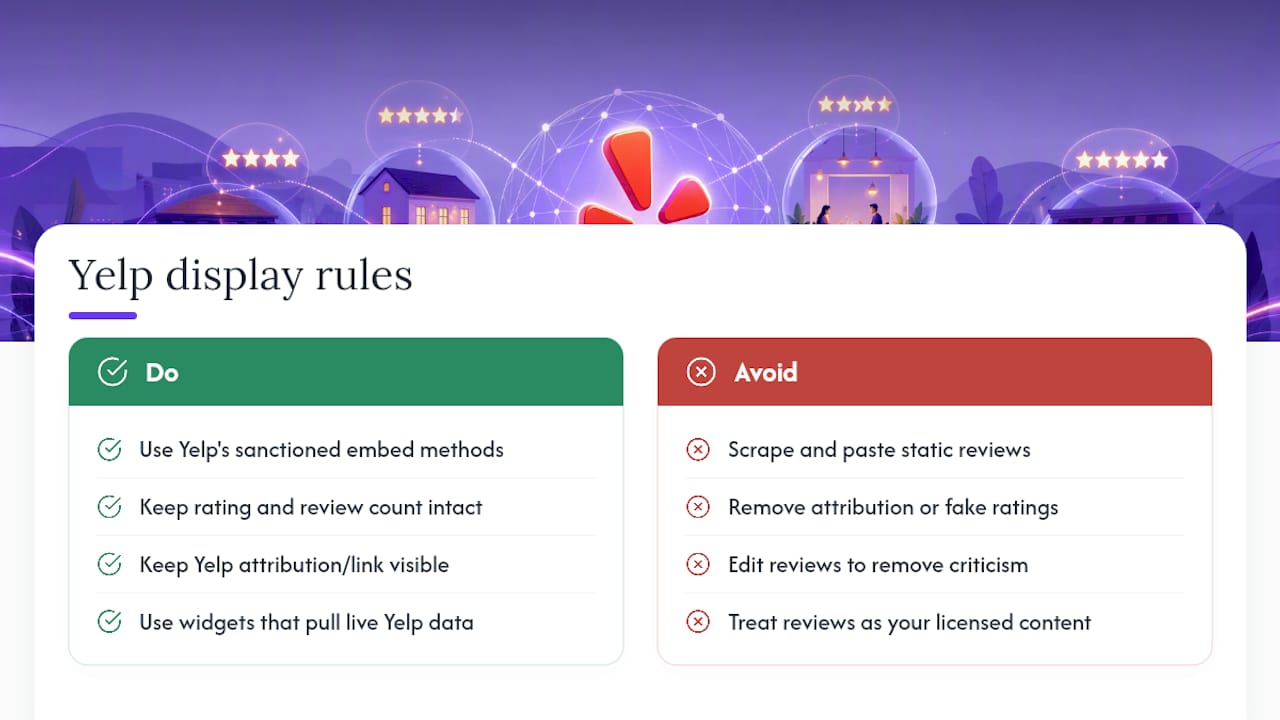
Yelp’s own support documentation lays out the terms for embedding its content, and the short version is: use Yelp’s sanctioned methods and don’t alter what a review says. The official embed option exists specifically so businesses can display reviews while keeping the rating, review count, and link back to Yelp intact and current. Scraping review text manually and pasting it as static content on your site sidesteps that system entirely, and it risks looking like you edited or cherry-picked reviews, which damages trust even if no one at Yelp ever notices.
Stripping the attribution link, faking a rating, or editing review text to remove criticism crosses from a styling choice into a policy violation. Reputable widget builders don’t let you do most of this anyway, since the software pulls live data directly from Yelp rather than a static copy you control.
There’s also a practical legal wrinkle: reviews are user-generated content, not yours to license out. Embedding through Yelp’s approved channels, whether that’s the native embed or a widget builder pulling from Yelp’s public data, keeps you on the right side of that distinction. If you’re ever unsure whether a specific display choice crosses a line, Yelp’s support documentation is the primary source to check, not a competitor’s blog post or a plugin’s marketing page.
Are Yelp Review Widgets Accessible to All Site Visitors?
Accessibility gets overlooked constantly in review widget setups, and it’s an easy fix once you know what to check. Screen reader users need alt text on star icons and reviewer avatars, proper heading structure around the widget, and enough color contrast between text and background that low-vision visitors can actually read a review.
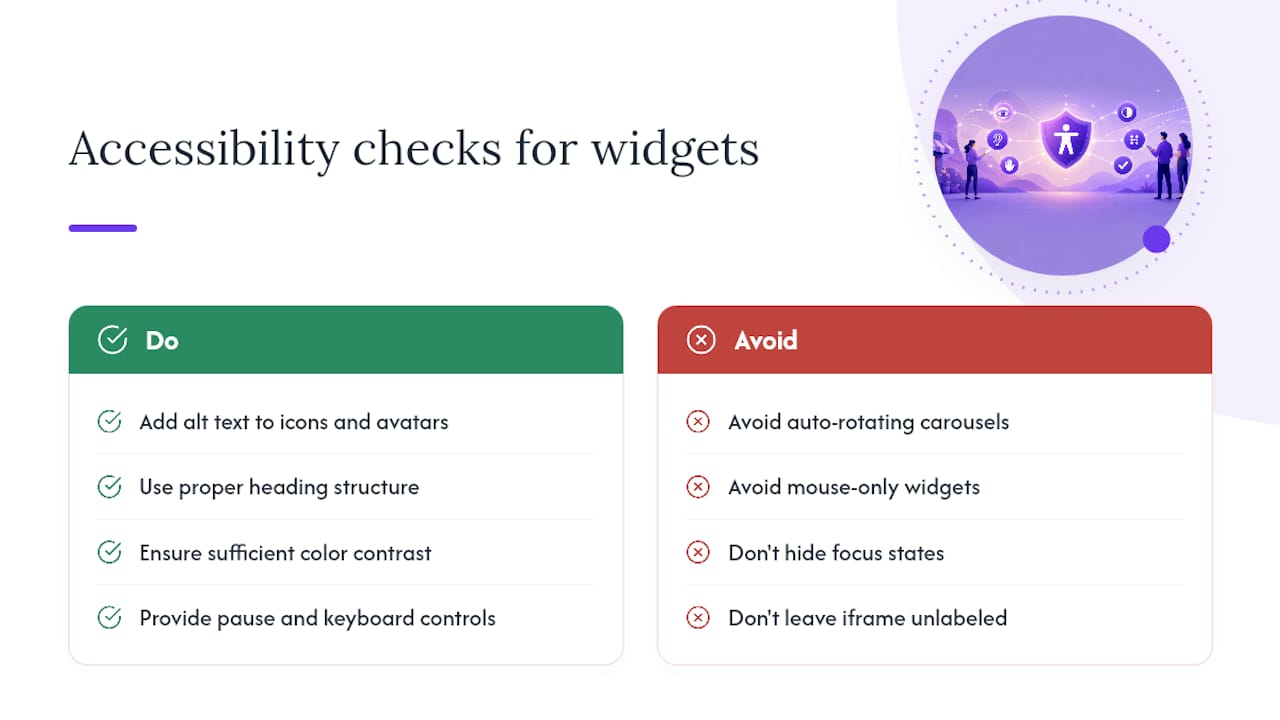
Carousels are the biggest accessibility trap in this entire category. An auto-rotating carousel that cycles reviews every few seconds can be disorienting for visitors using screen readers or those with cognitive disabilities who need more time to process each card. Look for a widget that lets you pause rotation, or better, one that offers keyboard navigation so a visitor tabbing through your page can move between reviews deliberately instead of racing a timer.
Check that interactive elements, like a “read more” toggle or a link back to Yelp, are reachable by keyboard alone and have visible focus states. A mouse-only widget locks out anyone navigating by keyboard or switch device. If your chosen widget uses an iframe, confirm it has a descriptive title attribute so assistive technology can announce what the embedded content actually is, rather than just “iframe” with no context.
None of this takes long to verify once you know what to look for, and it’s the difference between a widget that works for every visitor and one that quietly excludes a chunk of your audience.
An Editorial Take on Speed Versus Polish in Yelp Widgets
Most advice on this topic obsesses over layout options and color matching, treating the widget like a design exercise. That’s backwards. The actual leverage sits in two boring places: whether the widget keeps syncing after you set it up, and whether it stays accessible once someone other than you visits the page.
Conventional wisdom pushes readers toward “the prettiest widget” or “the most customizable one.” Neither variable predicts whether a visitor trusts what they’re reading. A widget with three honest reviews, one of them mediocre, does more for credibility than a polished carousel showing nothing but five stars. Business owners chasing a flawless rating on their own site are optimizing for the wrong signal entirely.
Prioritize this order: get a widget live this week, even in a plain layout. Confirm it actually keeps pulling new reviews a month later, since a stale widget is worse than no widget. Then, and only then, spend time on carousel styling or brand colors. Speed to a functioning, honest, accessible widget beats aesthetic perfection every time.
— Ashok
Get Your Yelp Reviews Live Without Touching Code
Zyff builds this specific problem into one workflow: pick a Yelp widget style, preview it against your actual site colors, and publish with a single line of code, no plugin installs, no developer, no watermark on the free tier. Where a plugin ties you to one CMS and Yelp’s native embed limits you to a single quote, Zyff’s Widget Builder works the same way whether your site runs on WordPress, Wix, Squarespace, or plain HTML.
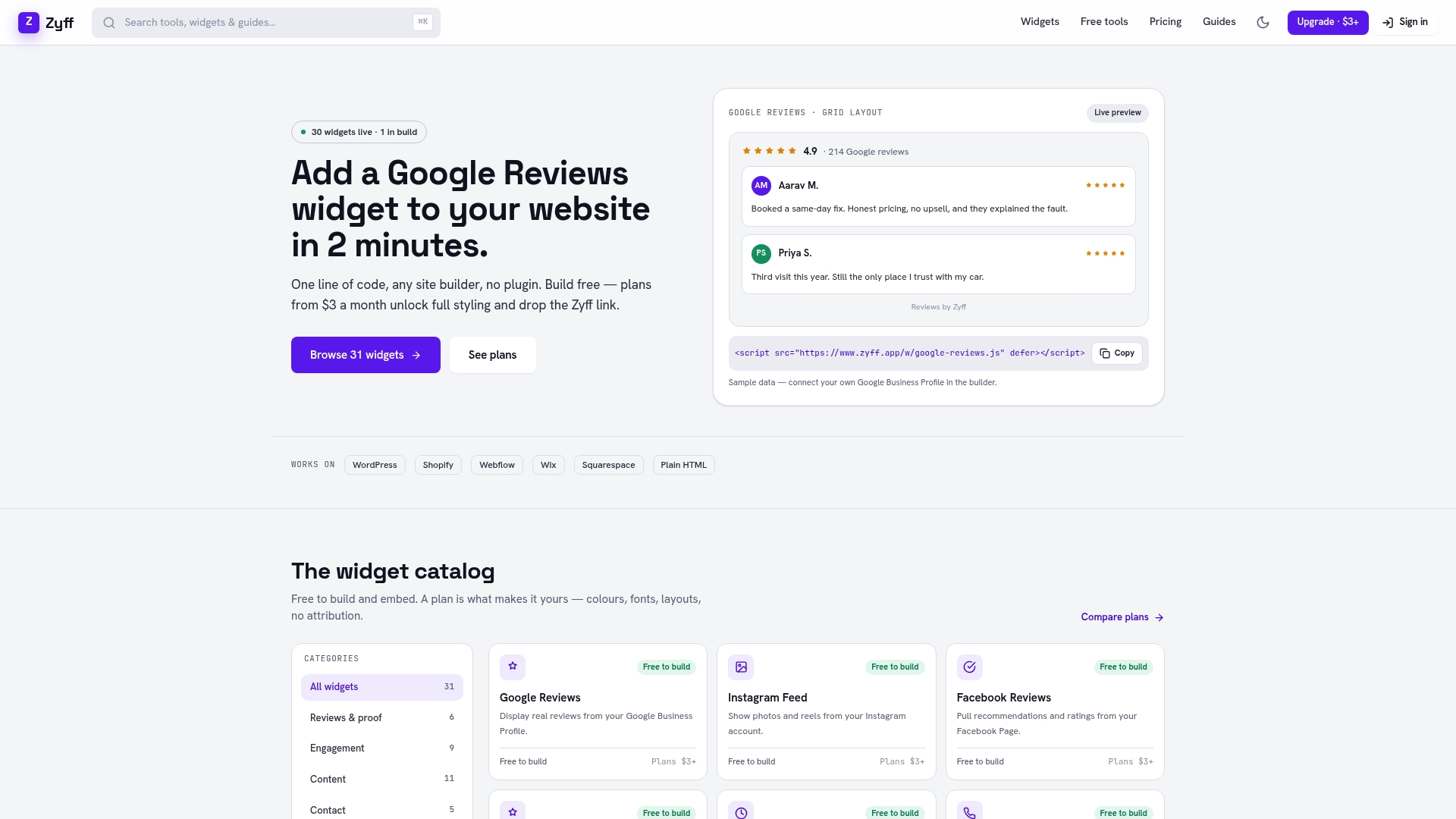
If you outgrow the free tier, you’ll want more saved widgets, higher monthly view limits, or full branding removal. Zyff’s paid plans start at $3 per month on the Basic tier, scaling up to Enterprise options for higher-traffic sites. Everything else, including the 49 other free tools Zyff offers, stays unmetered no matter which plan you’re on.
Head to the Yelp reviews widget page, pick a layout, and preview it against your own site before you commit to anything.
Sources
- How do I embed or share Yelp content on another website? | Yelp Support
- Embedded Reviews at Yelp — Yelp Engineering Blog
- Wordpress
- WP Yelp Review Slider (plugin page)
- Free Yelp Review Widget — BlooTrue
FAQ
Can I See Yelp Reviews Without the Yelp App?
Yes. You can browse any business’s reviews directly on Yelp’s website in a mobile or desktop browser without installing the app. A Yelp reviews widget embedded on a business’s own website is another way to see them, since it pulls live review data straight from Yelp’s public listing.
How Do I Get Customers to Actually Leave Yelp Reviews?
The most reliable method is asking directly, right after a positive interaction, with a direct link to your Yelp review page rather than a vague request to “check us out on Yelp.” Displaying existing reviews prominently on your site through a widget also nudges new visitors to add their own, since it signals that reviews there actually get seen.
Do People Still Use Yelp?
Yes, Yelp remains a widely used platform for finding and reviewing local businesses, particularly in restaurants, home services, and hospitality. Customer feedback continues to shape purchasing decisions in hospitality specifically, which is part of why displaying those reviews on your own site still pays off.
Is There a Free Google Reviews Widget Available?
Yes, Zyff offers a free Google reviews widget alongside its Yelp widget, using the same one-line embed approach. Both follow the same free-tier structure: unlimited basic use, with paid plans unlocking higher view caps and branding removal.
What’s the Difference Between Yelp’s Native Embed and a Widget Builder?
Yelp’s native embed shows a single review with fixed styling and works only from the desktop version of Yelp’s site. A widget builder displays multiple reviews in customizable, brand-matching layouts and typically syncs new reviews automatically after setup.