Floating WhatsApp Button for Developers: Code, UX, and One Line Widget
Floating WhatsApp Button for Developers: Code, UX, and One Line Widget
Add a floating WhatsApp button in minutes using one of three routes: a zero-dependency JavaScript snippet, a framework-ready package, or a CMS plugin. All three ride on WhatsApp’s Click-to-Chat URL, so the button works the same everywhere once you format the phone number as digits only, with the country code and no plus sign or spaces. For most sites, the plain JS snippet is the fastest, lightest option; if you want a no-code route instead, a widget builder like Zyff embeds one with a single line.
TL;DR:
- A plain JavaScript snippet is typically the fastest and lightest method for adding a floating WhatsApp button on most sites, without external dependencies.
- Ensure the phone number is formatted with only country code and digits, with no symbols, spaces, or dashes, and test the URL directly to confirm proper operation.
- Using a plugin or widget builder like Zyff offers easier management for multiple agents, auto-updates, and non-technical control but introduces dependencies and potential compatibility issues.
- Incorporating a short delay and session storage for greeting messages can improve user experience without overwhelming visitors with repetitive prompts.
- Accessibility considerations include adding an aria-label, ensuring visible focus states, and respecting reduced-motion preferences to avoid annoying animations.
Table of Contents
- HTML for a Floating WhatsApp Button
- CSS for Positioning, Safe Areas, and a Pulse Effect
- JavaScript to Open Click-to-Chat With a Prefilled Message
- Should You Use a Plugin Instead of Code?
- What UX Choices Actually Affect Conversion?
- Fixing the Most Common Floating Button Bugs
- Which Approach Should You Actually Pick?
- Skip the Code: Zyff’s WhatsApp Chat Button Widget
- Sources
- FAQ
HTML for a Floating WhatsApp Button
The button itself is just a styled anchor tag pointing to a wa.me link. No JavaScript is required to make it functional, though you’ll want some for polish later.
<a href="https://wa.me/12125550199?text=Hi%2C%20I%27d%20like%20to%20ask%20about%20your%20services"
   class="wa-float"
   target="_blank"
   rel="noopener noreferrer"
   aria-label="Chat with us on WhatsApp">
  <img src="/icons/whatsapp.svg" alt="" width="28" height="28">
</a>
A few things matter here more than they look like they do:
- The number after
wa.me/must be digits only: country code plus number, no+, no dashes, no spaces.12125550199, not+1 (212) 555-0199. - The
?text=parameter carries your prefilled message, and it must be URL-encoded (spaces become%20, apostrophes become%27), which the Click-to-Chat mechanism depends on to hand off correctly to the WhatsApp app on mobile or WhatsApp Web on desktop. aria-labelis not optional. Screen reader users get nothing useful from an icon-only link without it.rel="noopener noreferrer"on atarget="_blank"link is a basic security habit, not a nice-to-have.
Drop this markup into a footer partial, a global layout template, or a site-wide include so it renders on every page without duplicating code. If your site runs on a component framework, wrap it in a component once and mount it globally.
CSS for Positioning, Safe Areas, and a Pulse Effect
Fixed positioning in the bottom-right corner is the near-universal choice, and for good reason: it sits within thumb reach on mobile without blocking the address bar or nav elements most sites keep at the top.
.wa-float {
  position: fixed;
  bottom: max(20px, env(safe-area-inset-bottom));
  right: max(20px, env(safe-area-inset-right));
  width: 56px;
  height: 56px;
  border-radius: [50%](https://medium.com/@underscoDe/the-css-border-radius-property-ec1013a45858);
  background: #25D366;
  display: flex;
  align-items: center;
  justify-content: center;
  box-shadow: 0 4px 12px rgba(0,0,0,0.25);
  z-index: 999;
}

@media (min-width: 768px) {
  .wa-float { width: 60px; height: 60px; bottom: 24px; right: 24px; }
}

@keyframes wa-pulse {
  [0%](https://mimo.org/glossary/css/scale), 100% { transform: scale(1); }
  [50%](https://levelup.gitconnected.com/master-the-art-of-css-scale-transform-a-beginners-guide-469e4fb19f05) { transform: scale(1.08); }
}

.wa-float:not(:hover) {
  animation: wa-pulse 2.4s ease-in-out infinite;
}

@media (prefers-reduced-motion: reduce) {
  .wa-float { animation: none; }
}
The env(safe-area-inset-bottom) value matters specifically on iPhones with the home indicator bar. Skip it and your button can end up half covered by the gesture area on certain iOS devices. Keep z-index high enough to clear modals, cookie banners, and sticky headers, but audit it against your existing stacking contexts rather than guessing a huge number. The pulse animation pauses on hover and drops out entirely under prefers-reduced-motion, which widget design guidance treats as standard practice, not an edge case.
JavaScript to Open Click-to-Chat With a Prefilled Message
A working floating button needs almost no JavaScript if you’re just linking to wa.me, but a small script gives you control over message encoding, delayed greeting bubbles, and session behavior.
function openWhatsApp(phone, message) {
  const encoded = encodeURIComponent(message);
  const url = `https://wa.me/${phone}?text=${encoded}`;
  window.open(url, "_blank", "noopener,noreferrer");
}

document.querySelector(".wa-float").addEventListener("click", (e) => {
  e.preventDefault();
  openWhatsApp("12125550199", "Hi, I'd like to ask about your services");
});
A few patterns worth building in from the start:
- Always run your message through
encodeURIComponent()rather than hand-encoding spaces and punctuation yourself. - A delayed greeting bubble that auto-opens after roughly 2,500 milliseconds, then auto-hides, tends to catch attention without feeling pushy, according to testing on the vanilla JS floating button pattern.
- Store a “dismissed” flag in
sessionStorageso a visitor who closes the greeting bubble doesn’t see it pop open again on every page during that session. - Test on both a phone and a desktop browser. Mobile hands off to the WhatsApp app; desktop opens WhatsApp Web, and both need to resolve correctly before you ship.
If you’d rather not hand-roll this, dependency-free libraries like whatsapp-floating on GitHub package the button, pulse animation, and positioning into a single script tag, and framework-based packages such as floating-button-whatsapp-modern expose a mount/unmount API for React and TypeScript projects with popup UI and shake-animation options built in.
Should You Use a Plugin Instead of Code?
Writing your own snippet makes sense when you want full control over performance and don’t want a third-party script phoning home. A plugin makes sense when you’re running WordPress, need multiple support agents, or want an editor who isn’t a developer to manage the number and message without touching a template file.
- Install the plugin. On WordPress, something like ChatHelp adds an admin screen, Gutenberg blocks, and even WooCommerce “order on WhatsApp” buttons without you writing a line of markup.
- Add your business number in the plugin settings, formatted the same way as the manual method: country code and digits, no symbols.
- Style the button through the plugin’s built-in options, position, color, and icon usually included.
- Choose where it displays. Most plugins let you enable or exclude it on specific pages or post types.
The tradeoff is maintenance. A plugin adds another dependency that needs updates and can occasionally clash with your theme’s own JavaScript or CSS, so keep it current and check the front end after any core or theme update.
What UX Choices Actually Affect Conversion?
A floating WhatsApp button is only as good as the conversation it starts, and a few small decisions do more work than the button’s color ever will.
Prefilled messages remove the blank-page problem. A visitor who has to type “hi, question about your service” from scratch is far more likely to bounce than one who just hits send on a message you’ve already written for them, a pattern WordPress chat-widget specialists point to repeatedly when explaining conversion drop-off. Keep the template short and specific: “Hi, I’d like a quote for [service]” beats a generic “Hello.”
Animation earns its place only in moderation. A pulse or shake effect that never stops trains returning visitors to ignore it entirely, so pause it on hover and let prefers-reduced-motion turn it off for anyone who has that system preference set.
Behind the button itself, set up your WhatsApp Business profile with hours and an auto-reply for after-hours messages, so the experience feels consistent whether someone messages at 10 AM or 11 PM. Pairing the button with a visible business hours widget on the page helps set that expectation before the chat even opens.
Accessibility isn’t a separate checklist item, it’s part of the same UX work: every interactive control needs a real aria-label, keyboard focus should land on the button in a logical tab order, and any animation needs the reduced-motion fallback covered above.
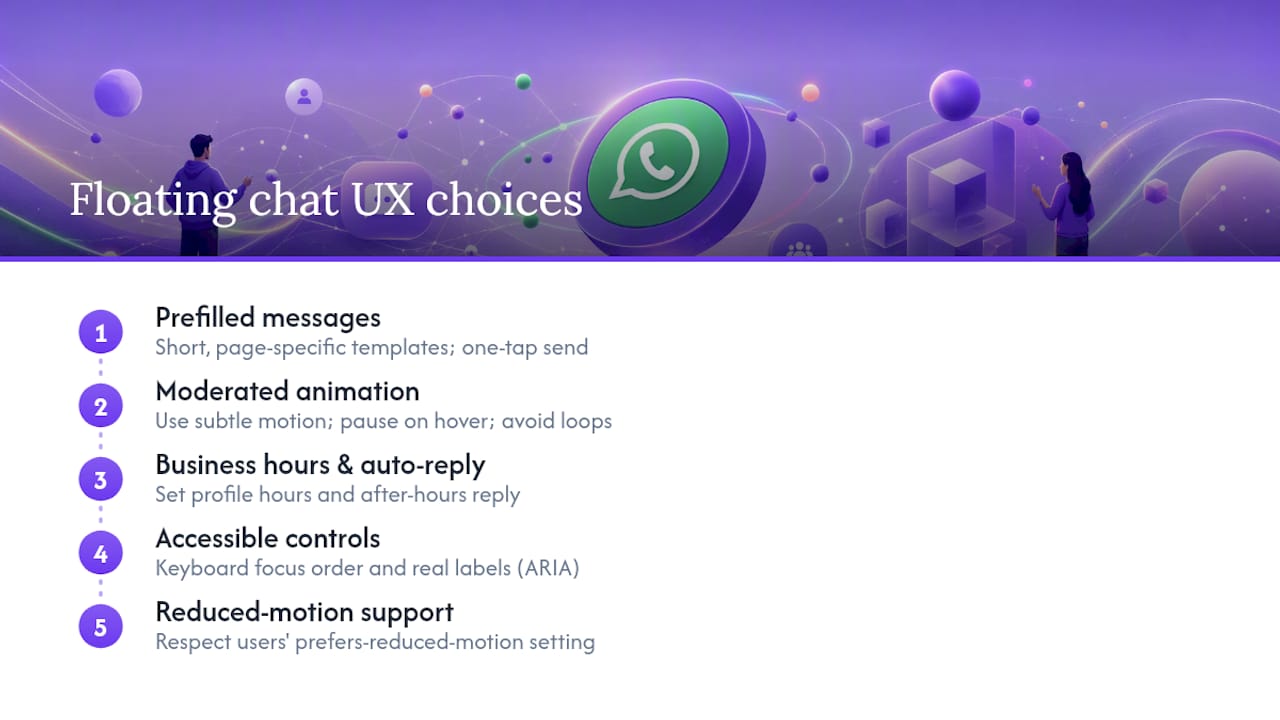
Pro Tip: Write two or three message templates for different pages (a pricing page, a contact page, a product page) and swap the text= parameter per page. A visitor on your pricing page who gets a message pre-filled with “Hi, I’d like to ask about pricing” converts noticeably better than one who gets your generic homepage greeting.
Fixing the Most Common Floating Button Bugs
Most issues trace back to one of four causes:
- Button invisible or unclickable: check for a
z-indexconflict with a modal, sticky header, or cookie banner sitting on top of it in the stacking context. - Script blocked, nothing renders: if your site is on HTTPS, any externally hosted script must also load over HTTPS, since browsers block mixed-content HTTP assets on a secure page outright.
- Link opens WhatsApp but the chat is empty or the number is wrong: re-check the phone format. It needs to be country code plus digits only, no
+, no dashes, no spaces. - Works on desktop, breaks on mobile (or the reverse): open the browser console on both and look for JavaScript errors, and confirm the animation isn’t silently failing under a
prefers-reduced-motionsetting you forgot to test against.
Run through this list before assuming the wa.me link itself is broken. In practice, it almost never is.
Which Approach Should You Actually Pick?
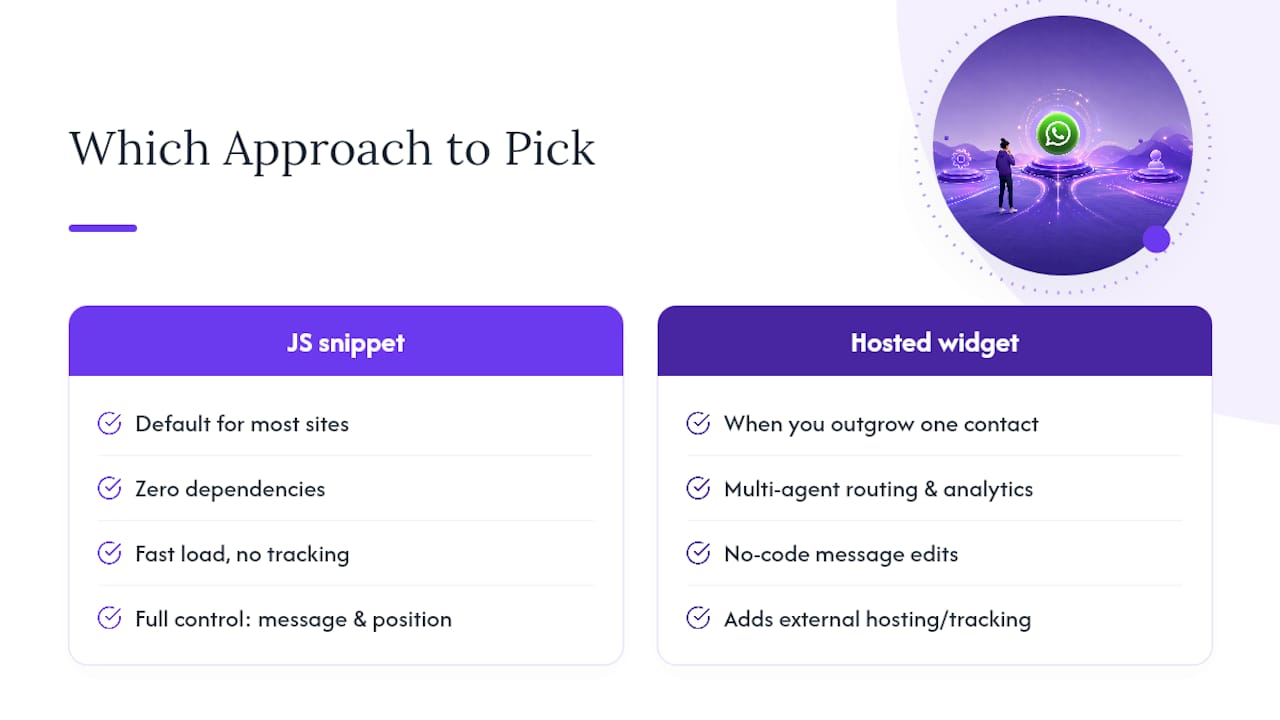
For most sites, a zero-dependency JS snippet is the right default. It loads fast, adds no external tracking, and gives you full control over the message, position, and animation timing. That’s worth more than it sounds like on a marketing site where every extra kilobyte competes with page speed.
Switch to a plugin or a hosted widget once you outgrow a single number. Multi-agent routing, built-in analytics, or a non-technical team member who needs to change the message without a deploy are all good reasons to hand the job to something like Zyff’s widget builder instead of maintaining custom code. Pick based on who maintains the site, not on which option looks more impressive in a code sample.
— Ashok
Skip the Code: Zyff’s WhatsApp Chat Button Widget
If you’d rather not maintain a script, encode messages by hand, or chase a z-index bug at midnight, Zyff gets you a working floating WhatsApp button with one line of code and no account required to try it. The free WhatsApp Chat Button widget lets you set your number, write your prefilled message, and preview it live before you touch your site at all.
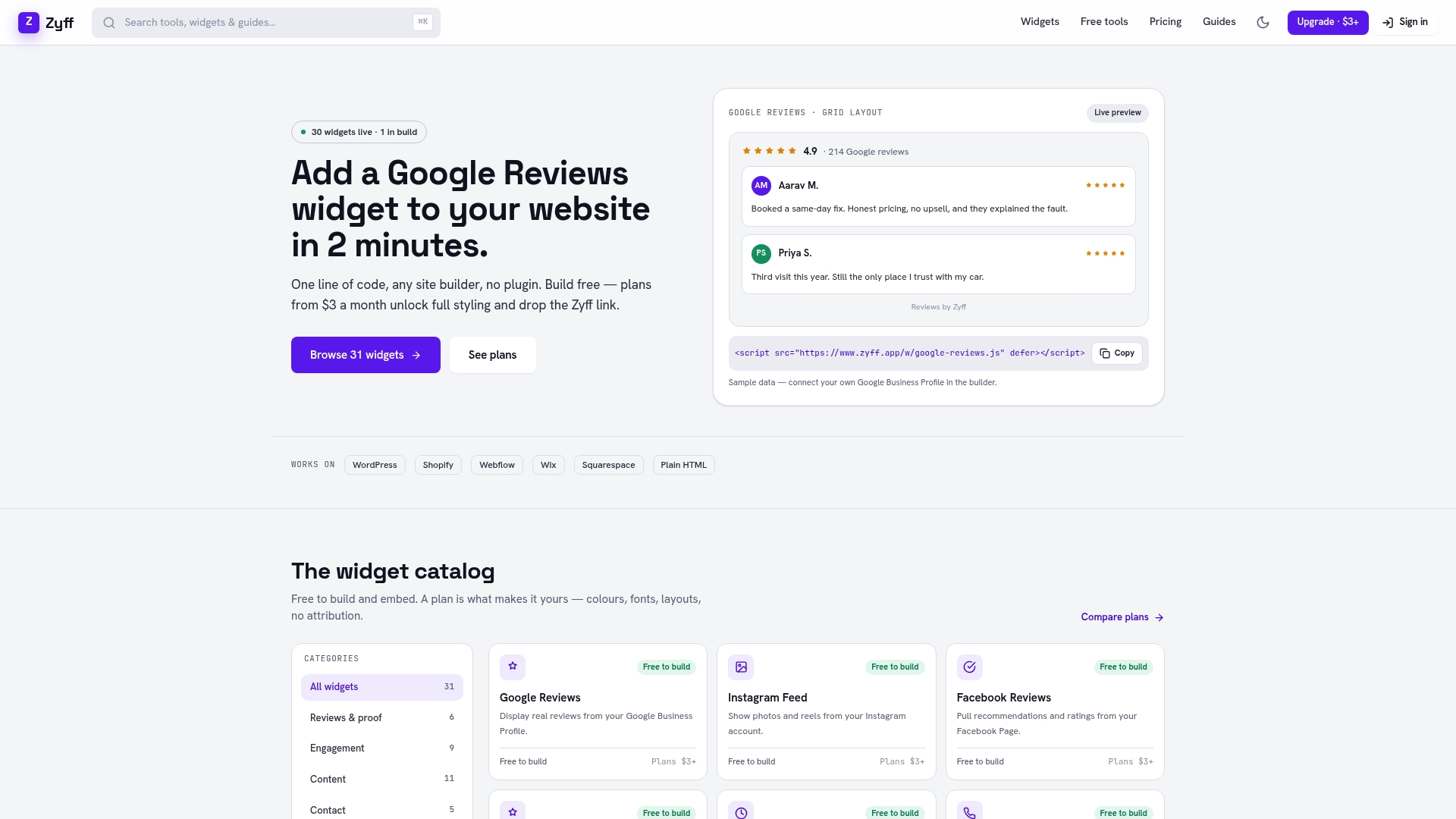
Zyff offers many free tools that stay unmetered regardless of your plan, so testing the widget costs nothing and carries no watermark. Once you’re ready to save multiple widgets, remove Zyff branding, or unlock deeper styling controls, paid plans start at $3 a month on the Basic tier, scaling up through Pro, Premium, and four Enterprise tiers for teams managing more traffic and more widgets. Installation works the same one line whether your site runs on WordPress, HTML, React, or Next.js. Build your button and preview it live on the widget builder before deciding whether to upgrade.
Sources
- GitHub - dansp89/whatsapp-floating: Dependency-free floating WhatsApp button
- WhatsApp Floating Button with Prefilled Messages for Vanilla JavaScript | CSS Script
- WPChat (insights on chat flow and templates)
- ChatHelp – Click to Chat Button, WooCommerce Chat to Order & Floating Chat Form
FAQ
How do I add a floating WhatsApp button to my website?
Link a styled anchor tag to https://wa.me/your number]?text=[your message], position it with fixed CSS in the bottom-right corner, and format the phone number as country code plus digits only. A widget builder like [Zyff does the same thing through a one-line embed if you’d rather skip writing the code.
How do I get the wa.me link to work correctly?
Format the number with no plus sign, spaces, or dashes (for example, 12125550199 instead of +1 (212) 555-0199), then test the full URL directly in a browser to confirm it opens a chat before embedding it on your site.
What is the newer chat bubble style people see on WhatsApp Business?
Some WhatsApp Business integrations use an expanding chat bubble that shows a greeting message before the visitor even clicks, similar to the delayed greeting pattern developers build with a short auto-open timer and sessionStorage to avoid repeating it every page load.
How do I enable notifications or a floating chat prompt on my site?
That’s a front-end behavior you control, not a WhatsApp setting: add a JavaScript timer that opens a greeting bubble a couple seconds after page load, then store a flag so it doesn’t reappear for the same visitor during that session.
Should I use a plugin or write the code myself?
Write your own snippet if you want a single number, faster load times, and no third-party dependency. Use a plugin or a widget like Zyff if you need multiple agents, WooCommerce integration, or a non-technical person managing the settings.